
 PURSUITFOUNDRY HELP / SHARED
Before you start
The screenshots below are from Asset.
How to
Open the menu
Select the menu button at the top right of the window.
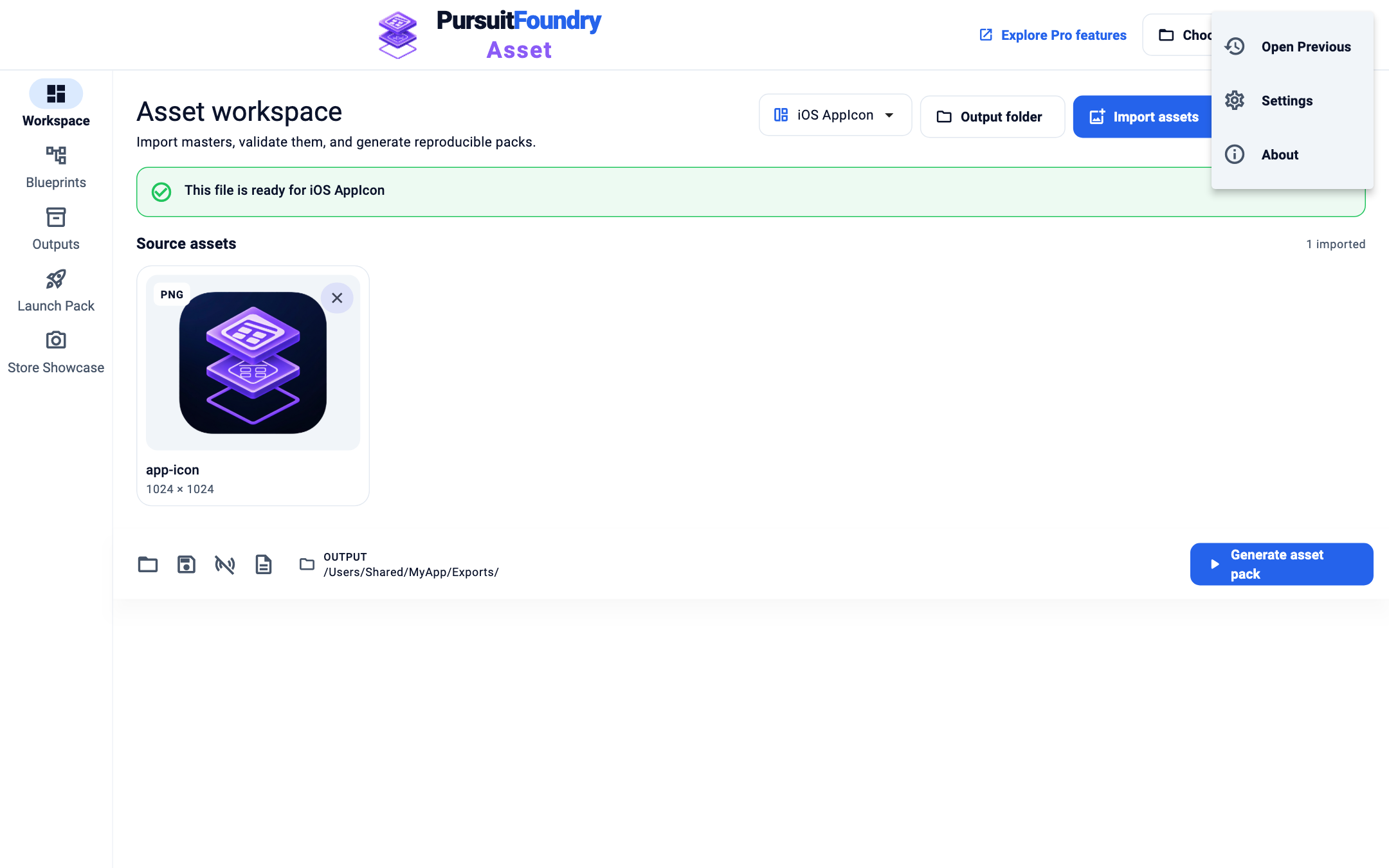
Open Settings
Select Settings. It holds Choose project root, Manage Pro and Appearance.
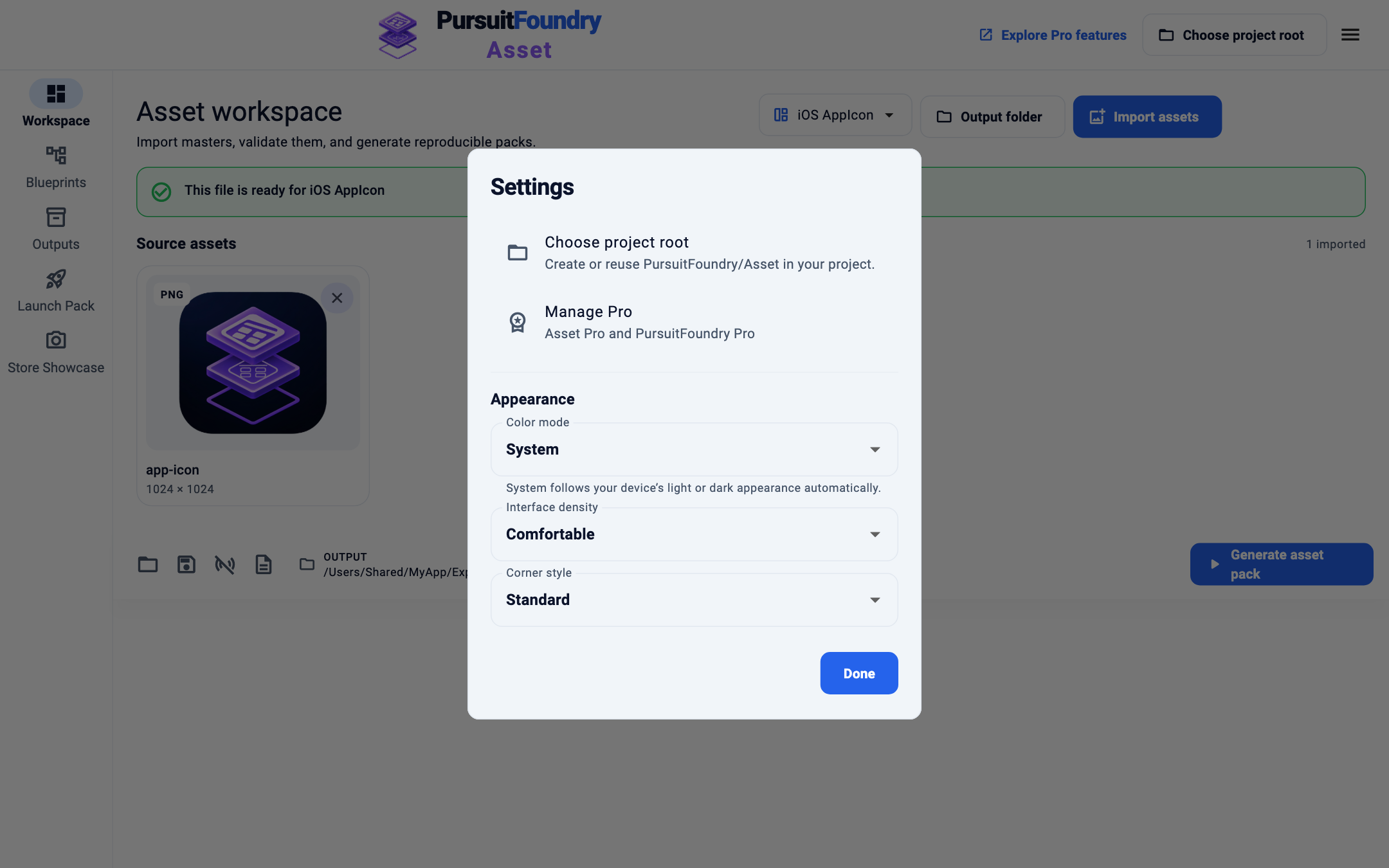
Choose the appearance
Set Color mode, Interface density and Corner style. Changes apply straight away. Select Done.
Options
| OPTION | WHAT IT DOES |
|---|---|
| Color mode | System (follows your computer’s light or dark appearance), Light or Dark. |
| Interface density | Compact, Comfortable or Spacious. |
| Corner style | Soft, Standard or Sharp. |
Troubleshooting
- Where is the version number?
- Open the menu and select About.
Related
Shared across every app← Help Center