
 ASSET HELP / STORE SHOWCASE
Before you start
A Showcase with pages, and Asset Pro or PursuitFoundry Pro for clean exports. Uploading also needs an App Store Connect connection; see Upload Store Assets.
How to
Review
Select Review. It counts images, pages, languages and device targets, and lists anything not ready, such as a missing screenshot, an unreviewed headline or overflowing copy.
Export
Select Export, then Export campaign · Pro. Stop at any time; running it again skips images that have not changed.
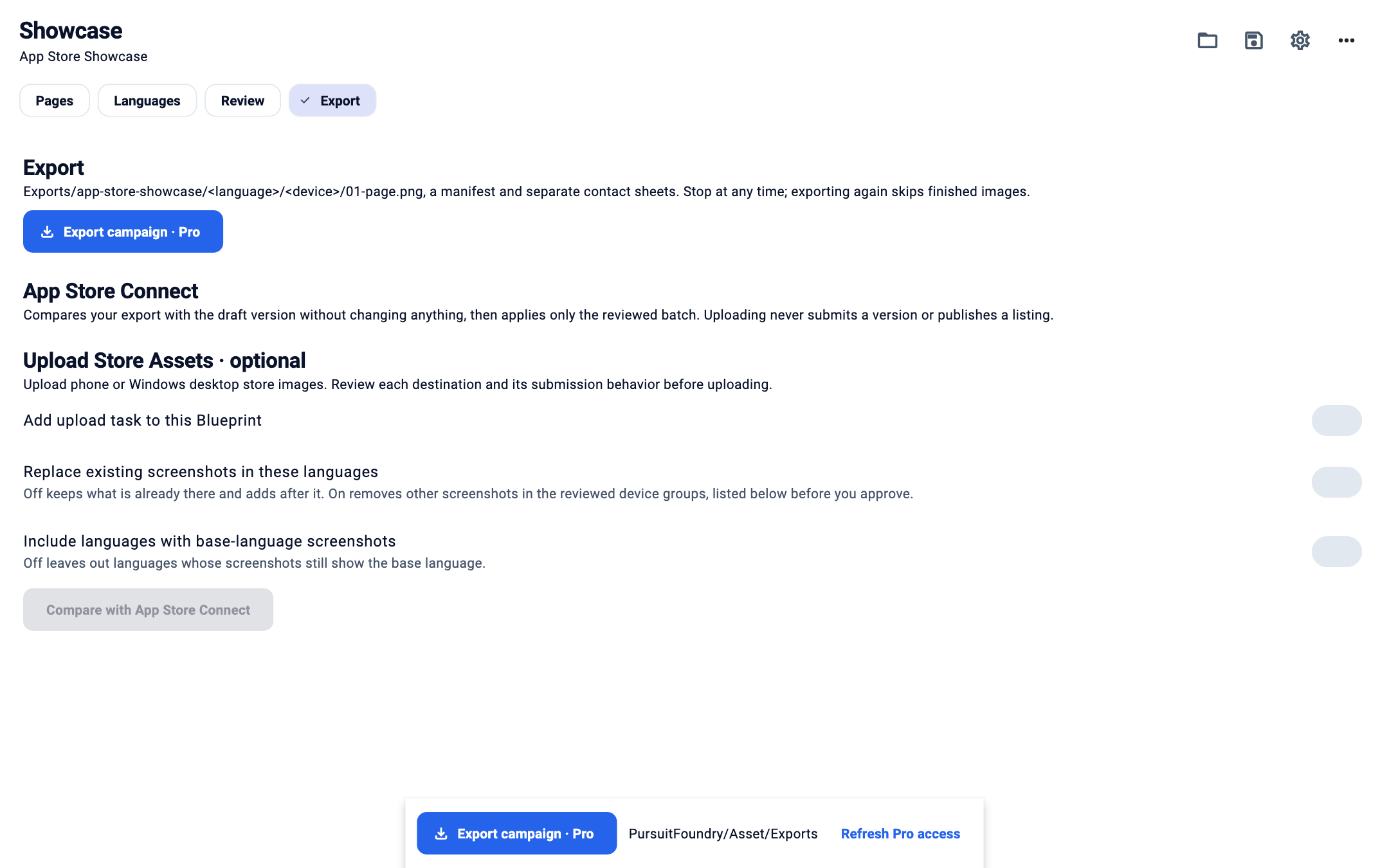
The Export step with App Store Connect upload options. Compare with App Store Connect
Choose Replace existing screenshots in these languages and Include languages with base-language screenshots if you want them, then select Compare with App Store Connect. Comparing only reads from Apple.
Approve and upload
The comparison lists additions, unchanged images, replacements, removals and the final order. Approve it to upload that exact batch; the approval lasts ten minutes.
Device targets
| OPTION | WHAT IT DOES |
|---|---|
| iPhone · Dynamic Island large | 1320 × 2868 |
| iPhone · Dynamic Island medium | 1206 × 2622. Apple names this size as required; export it as well to be safe. |
| iPad · 13-inch | 2064 × 2752. Needs tablet captures; a phone capture is never used. |
| Android phone | 1080 × 1920. Exported for local use. |
Results
Exports/<campaign>/<language>/<device-target>/01-page-name.png
Exports/<campaign>/contact-sheets/<language>-<device-target>.png
Exports/<campaign>/manifest.json
Pages missing a screenshot, a file or a translation, or with overflowing copy, are not written; the manifest lists them with the reason. Contact sheets are for review and are never uploaded. Submitting for review and publishing happen only in App Store Connect.
Troubleshooting
- An image shows Uploaded · processing.
- Apple has it but has not placed it yet. Compare again later; Asset continues without uploading again.
- An upload was interrupted.
- Compare again to see what remains.
- Export reports a page limit.
- Raise the page limit in Project settings, or hide pages you don’t need.