 ASSET HELP / STORE SHOWCASE
Before you start
- Screenshots of your app as PNG, JPEG or WebP, or a running iOS Simulator (Mac with Xcode) or Android emulator (Mac or Windows with the Android SDK) to capture from. Open each screen with sample data first: Asset captures what is on screen.
- Anyone can capture, import, design and save. Free previews are watermarked and reduced in size; clean full-resolution exports need Pro.
How to
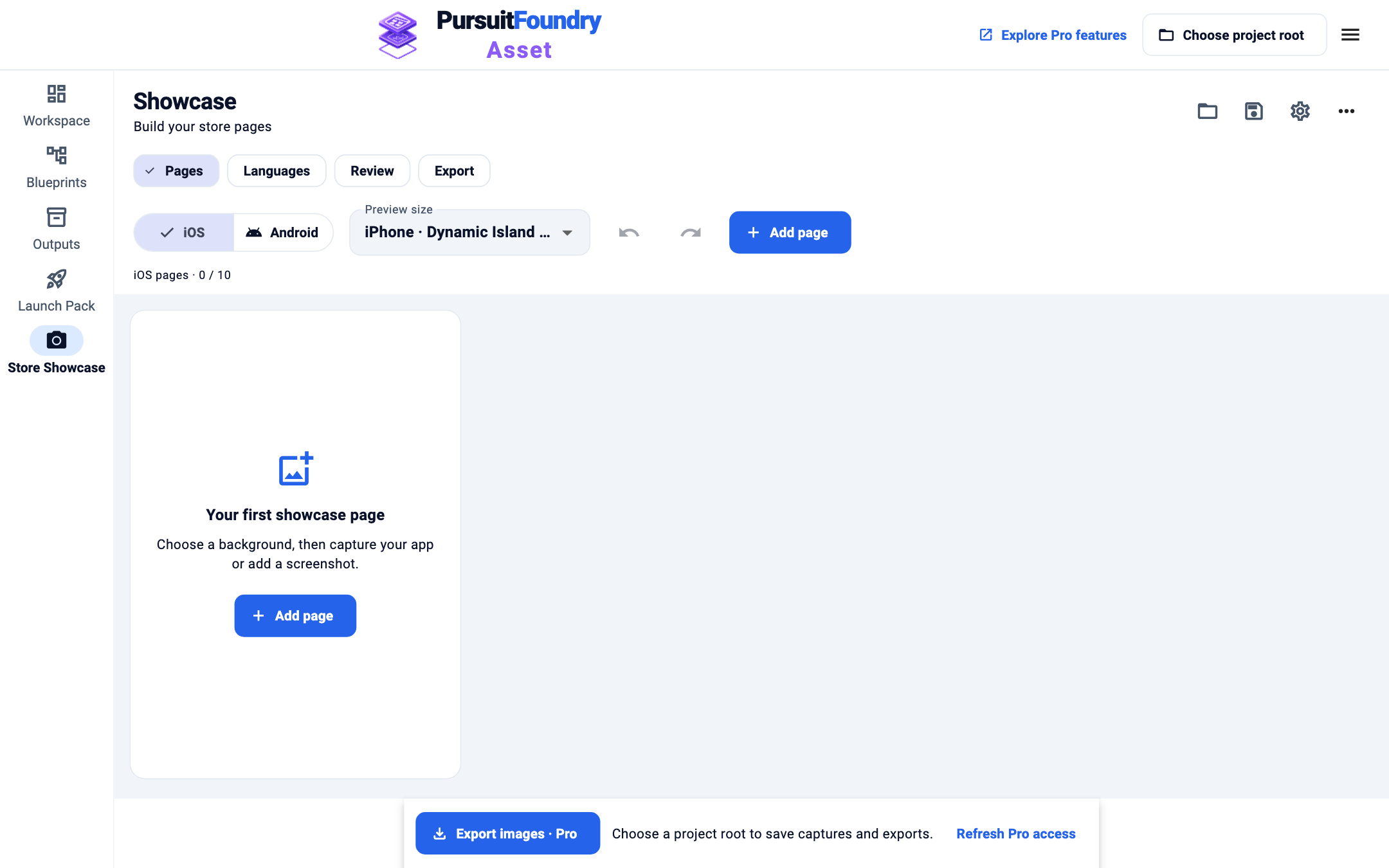
Open Store Showcase
Select Store Showcase in the navigation, or App Store Showcase · Pro on the start screen. It opens on Pages.
Set up the project
Select the gear for Project settings: project folder, campaign name, the app name shown by the logo, terms to keep untranslated, logo, background and the Theme for all pages. Close the panel when done.
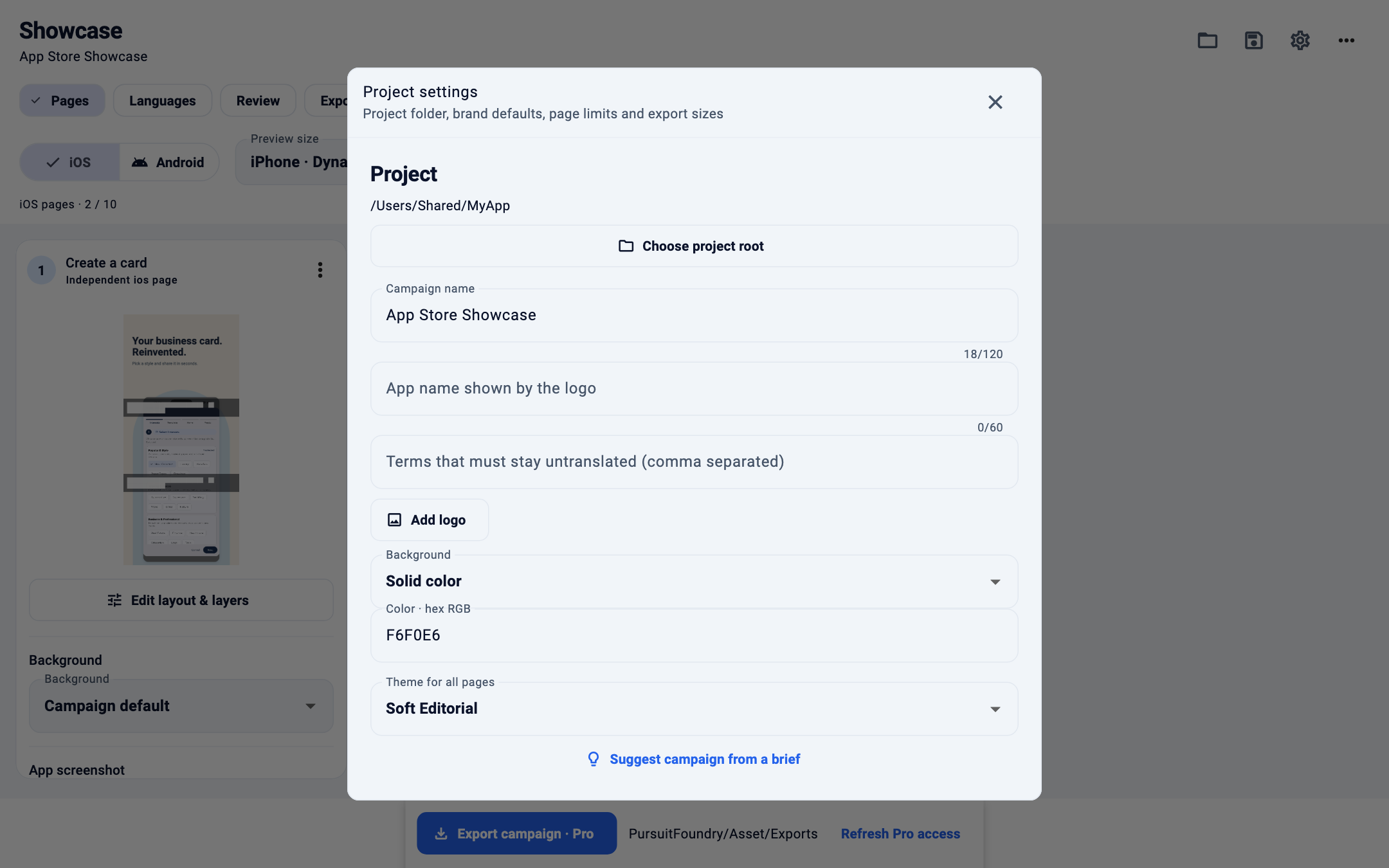
Project settings with the Soft Editorial theme. Choose a platform and add pages
Select iOS or Android, then the Preview size and Language. Select Add page for each page in the set; each page is a column.
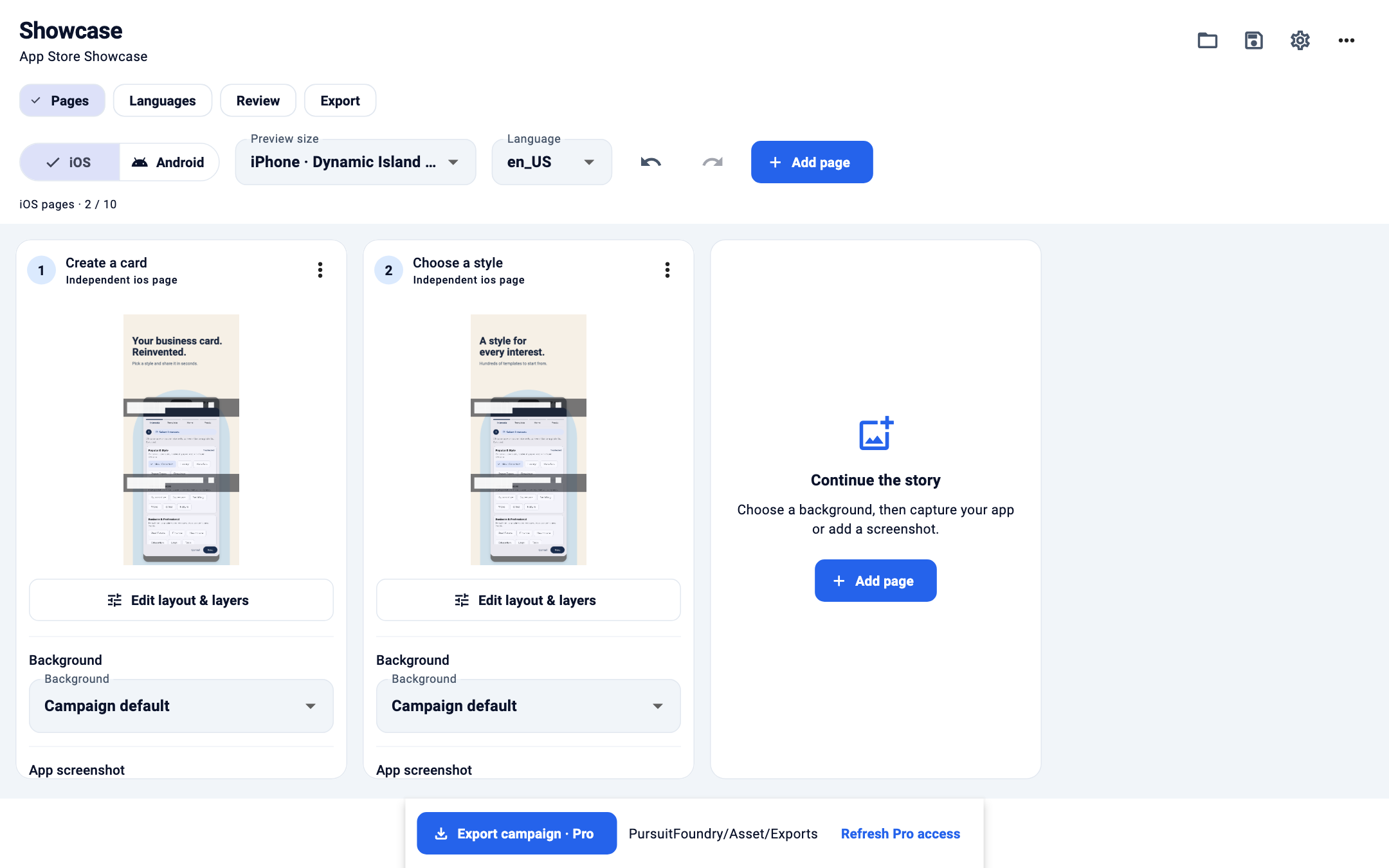
Two iOS pages, each with its own preview, background and screenshot. Add a screenshot to each page
In a page’s column, use Choose image to import a screenshot, or Capture to pick a running simulator or emulator and capture its screen.
Write the copy and style the page
Enter the page’s headline and caption, then Apply text. Pick a page Background, or keep Campaign default. Edit layout & layers opens the detailed editor for templates, crop, device mockups and overlays.
Organize and save
Each page’s menu renames, duplicates, moves, hides or removes it, and undo and redo cover every change. Save the
.assetshowcaseBlueprint with the save button at the top.Translate and export
Use Languages, Review and Export when the pages are ready.
Templates and themes
| OPTION | WHAT IT DOES |
|---|---|
| Themes | Soft Editorial, Midnight and Clean White, set for all pages in Project settings. |
| Templates | Hero, Two side by side, Overlapping stack and Feature close-up. Switching keeps copy, translations and screenshots. |
| Pages per platform | 1 to 10, set in Project settings. Defaults: iOS 10, Android 8. |
Troubleshooting
- My preview has a watermark.
- Free previews show a PursuitFoundry preview watermark at reduced size. Your original screenshots are never changed. Pro exports are clean and full resolution.
- Capture finds no devices.
- Start the iOS Simulator or Android emulator first, open your app, then select Refresh devices. Use Locate Android ADB… if Asset cannot find the Android SDK.
- “Copy was reduced to fit but stays above the readable minimum.”
- The headline was shrunk to fit. Shorten it, or use Adjust layout to give the text more room.