
 ASSET HELP / FEATURES
Before you start
- Foreground artwork as PNG, JPEG or WebP; a transparent PNG works best. SVG must be rasterized first.
- Optionally, a background image. Keep it where it is: the Blueprint reads it each time it runs.
How to
Import your foreground
In the Workspace, choose a generator such as iOS AppIcon and import your foreground artwork.
Open the Blueprint
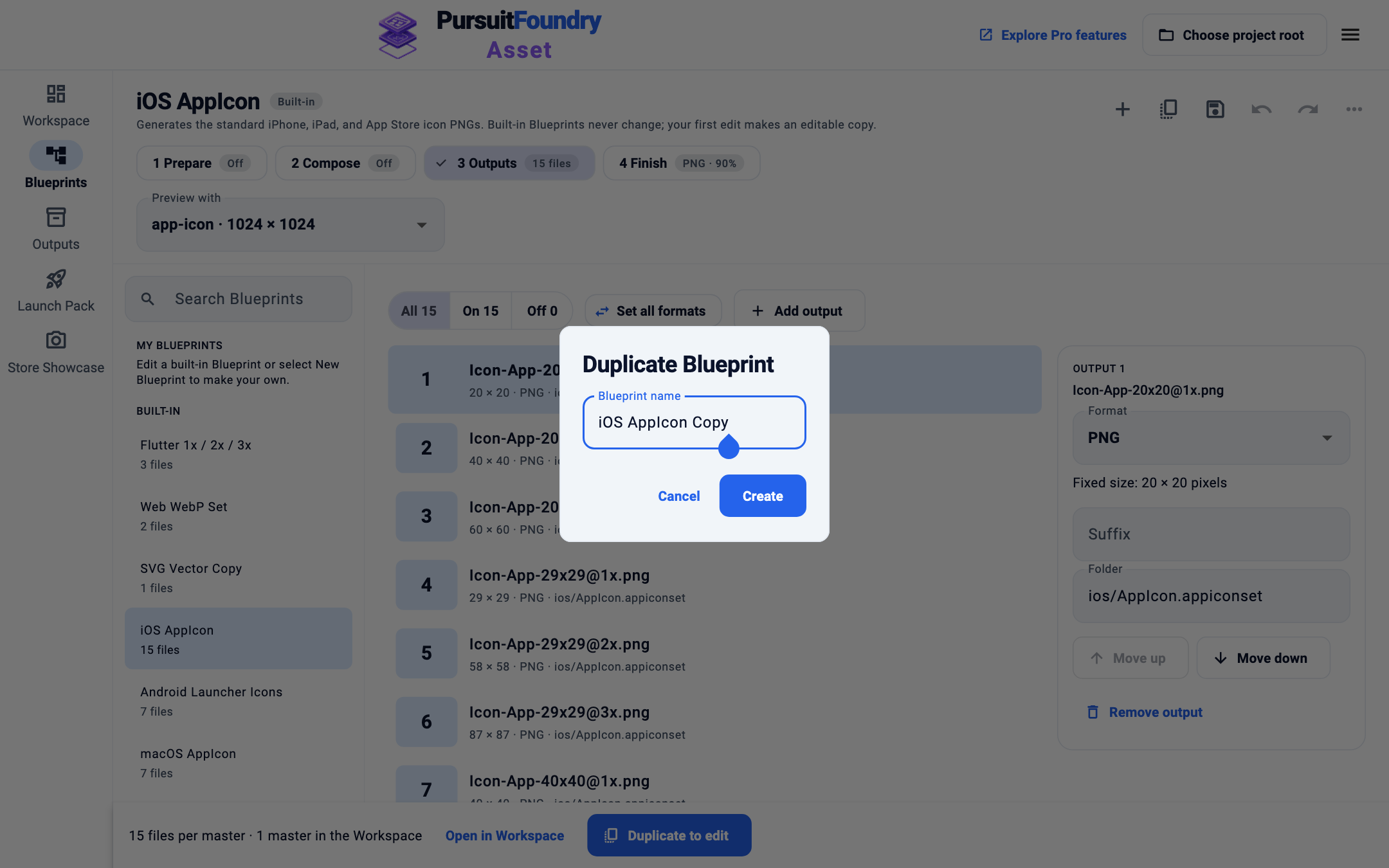
Open Blueprints. You can edit a built-in directly: your first change makes an editable copy and says so. To name the copy yourself, select Duplicate Blueprint in the top bar, name it and select Create.
Add the composition
Select 2 Compose, then Add background & foreground composition. Each imported master is centered over the shared background and keeps its proportions.
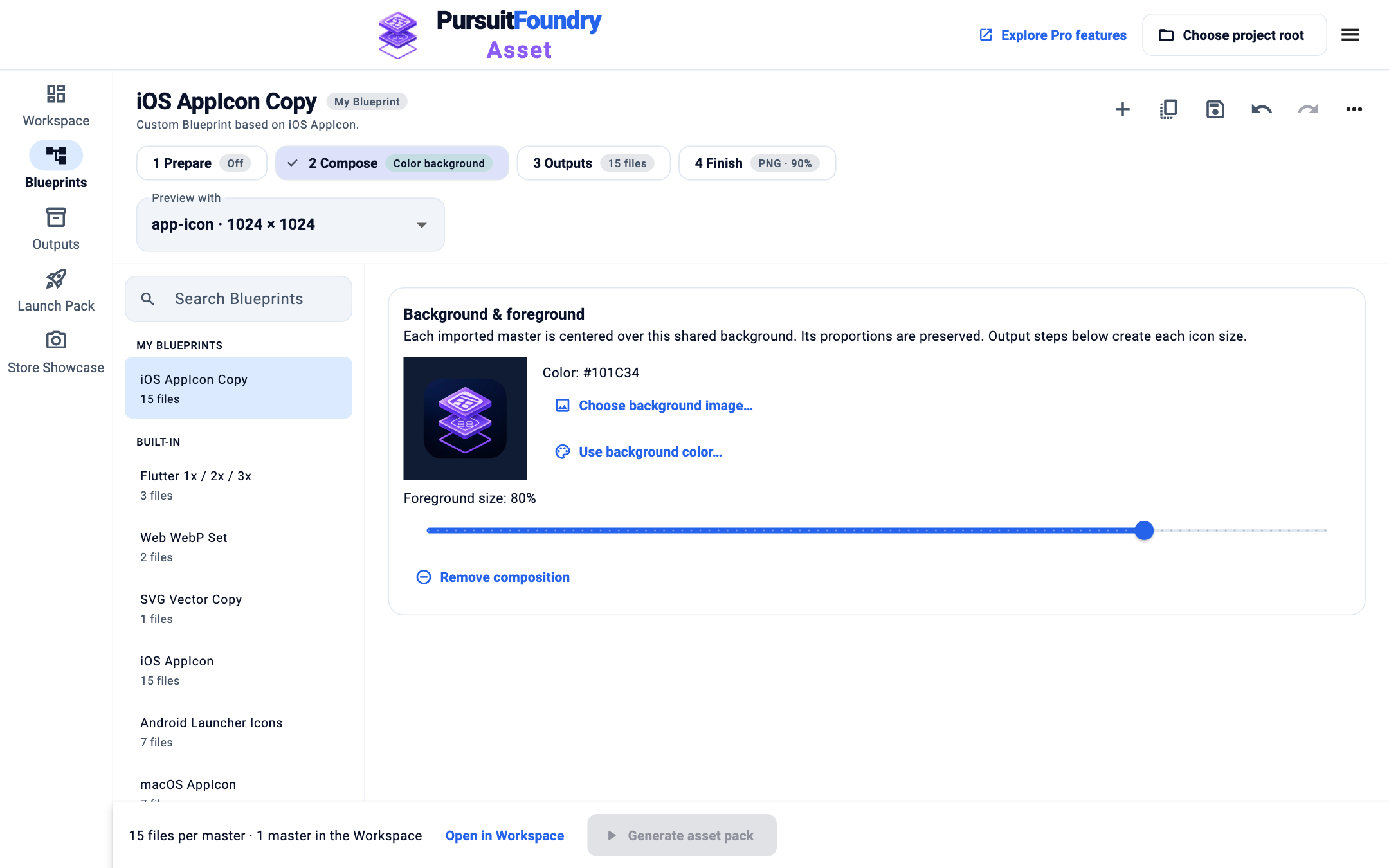
The composition card with a preview, background controls and Foreground size. Choose the background
Select Choose background image…, or Use background color… and enter six hex digits such as
101C34, then Use color.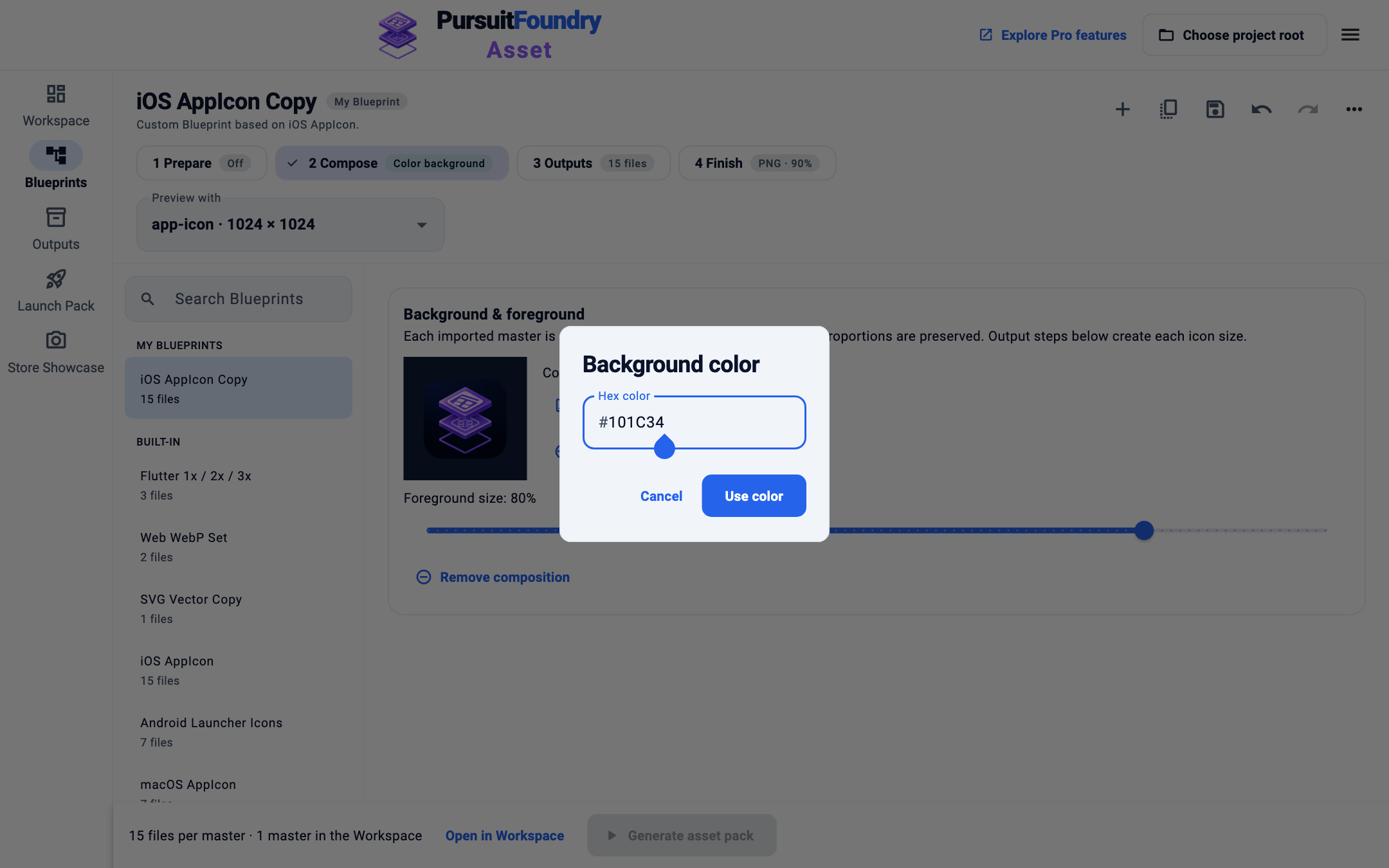
Set the foreground size
Drag Foreground size to set how much of the canvas the artwork fills.
Save and generate
Press ⌘S or Ctrl+S to save the Blueprint, then return to the Workspace and select Generate asset pack.
Results
Trim and padding steps run before composition; format and metadata settings run after it. Remove composition returns the Blueprint to plain resizing.
Troubleshooting
- Background unavailable.
- The background image moved or its drive is disconnected. Reconnect it, or choose the image again.
- Icons have transparent corners on platforms that need opaque icons.
- Use a full-bleed background image or an opaque color.