
 ASSET HELP / TROUBLESHOOTING
Before you start
Note the exact message. Searching this page for a few words of it is the quickest way to its fix.
How to
Read the message on the page
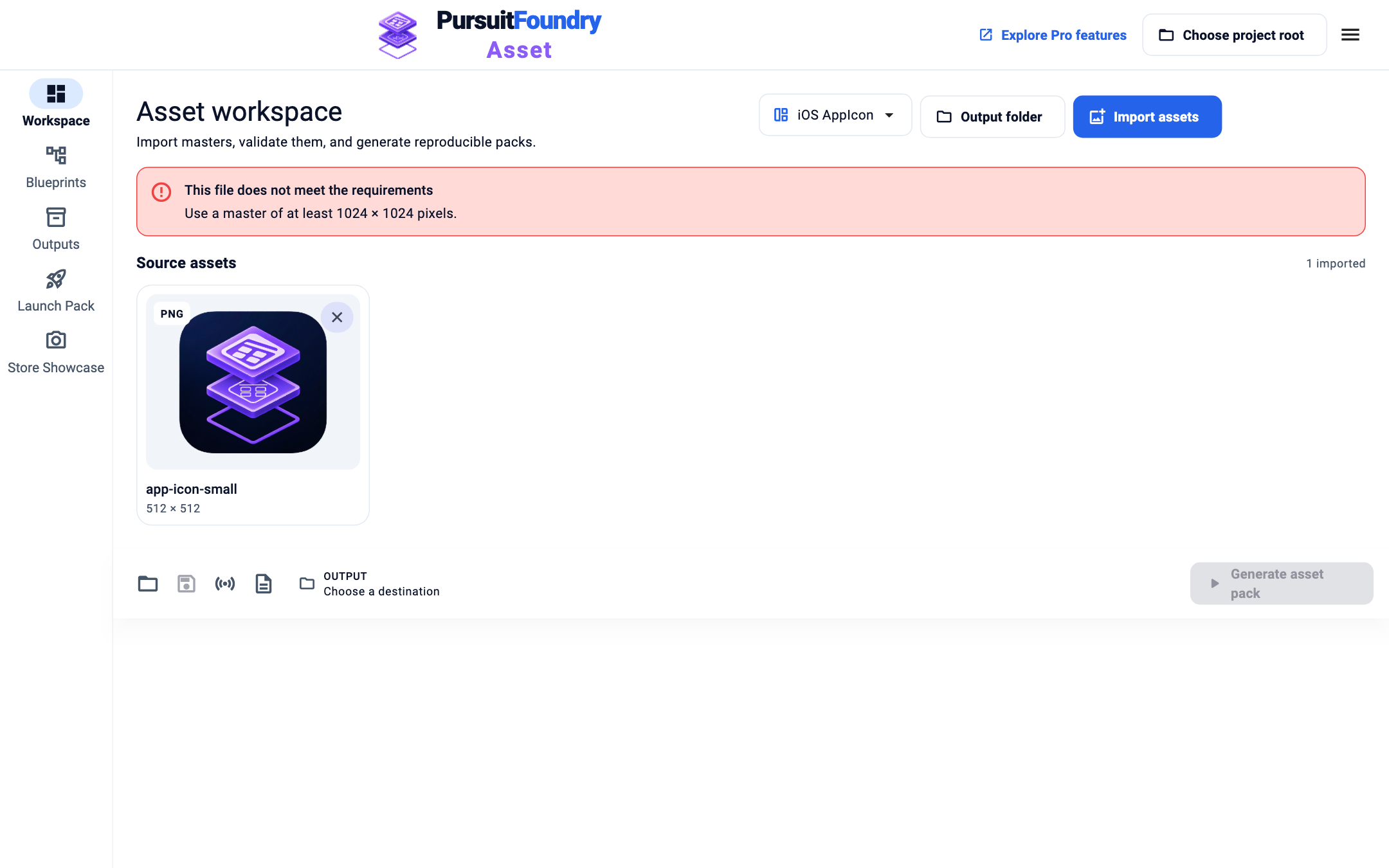
Validation problems appear in the red bar at the top of the Workspace. Errors from saving, opening or generating appear in the same place.
Check each file
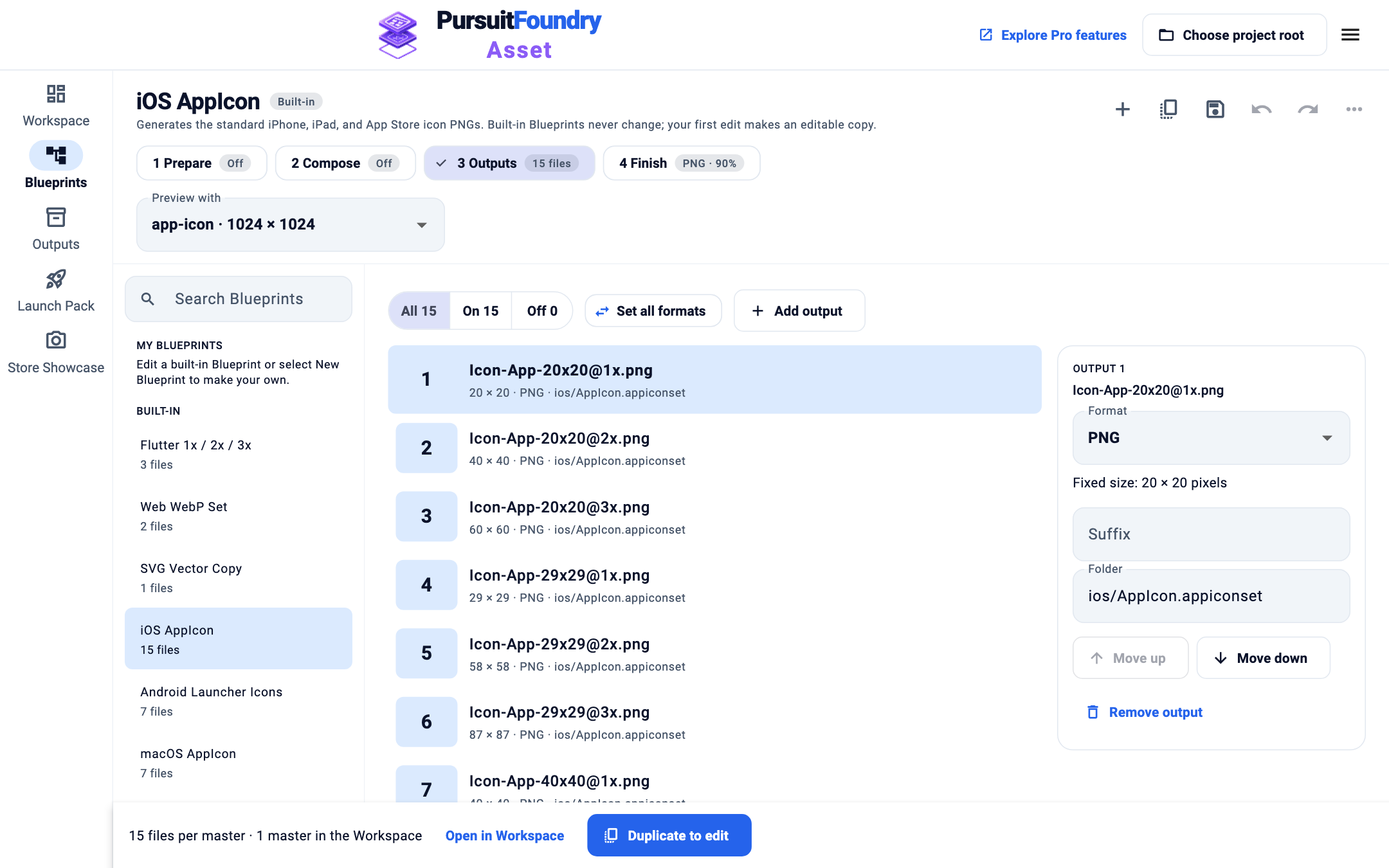
In Blueprints, select 3 Outputs. The table lists every planned file for the master in Preview with, and any issue that applies to that master. Conflicting files are named in red.
Retry a failed job
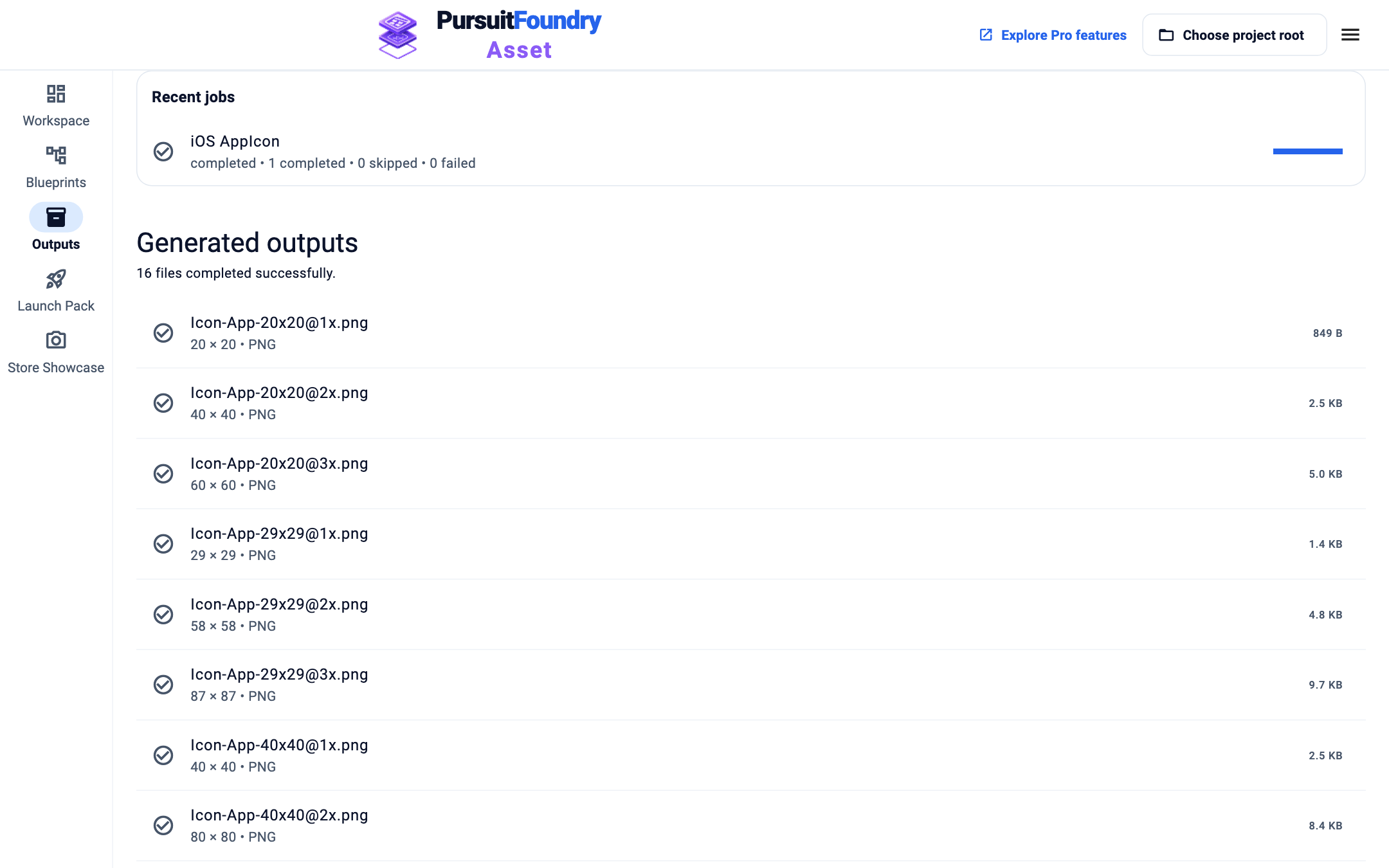
In Outputs, a failed job has a Retry failed job button. Fix the cause first, for example by freeing the output folder.
Share a report
Select Export validation report in the Workspace bottom bar to save a Markdown report you can send with a support request.
Messages
| MESSAGE | WHAT TO DO |
|---|---|
| Use a master of at least … pixels. | Use a larger master. If it is within 10%, add a resize action. |
| This platform requires a square master asset. | Use a square master, or one within 10% of square with a resize action. |
| This platform does not allow transparency in the icon. | Use an opaque master, or a layered Blueprint with a background color. |
| An output already exists: … | Existing outputs is set to fail. Choose another folder, or change the setting. |
| These steps produce conflicting output paths | Two outputs write the same file. In Blueprints → Outputs, give one a different Suffix or Folder. |
| Every output is off; nothing would be generated. | In Blueprints → Outputs, click an output’s number to turn it back on. |
| The Blueprint opened, but its project directory is unavailable. | Select the project root again. |
| This project uses an unavailable generator preset. | The Blueprint was made with a generator this version doesn’t have. Update Asset, or choose another generator. |
| Could not save the Blueprint and its sources. | Check that Asset can write to the project folder, then save again. |
| This older job has no usable saved execution plan. | Start a new run with Generate asset pack. |
Troubleshooting
- The message isn’t listed here.
- Export a validation report and contact support with it. See Contact support.
Related
Asset · Troubleshooting← All Asset help